Free PDF Tool Online for Every Document

PDF Mentor offers powerful free PDF tool to edit, merge, split, compress and convert PDF files online. Work with your documents quickly, securely and effortlessly using our browser based tools. No registration, no software installation, just fast and reliable PDF solutions

Free PDF Tools Online Dashboard by PDF Mentor

All Free PDF Tool

Explore our complete collection of free PDF tool to edit, merge, split, compress and convert PDF files online. PDF Mentor offers fast, secure and easy to use tools that work directly in your browser with no software installation required.

Compress PDF

Reduce PDF file size directly in your browser. Choose compression level and download your compressed PDF.

Compare PDF

Compare two PDF files side by side, page by page. Identify visual differences instantly.

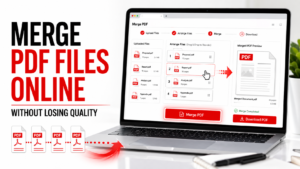
Merge PDF

Merge multiple PDF files into one PDF. Upload, arrange, and download instantly

Split PDF

Split PDF pages into separate files, extract selected pages, or split PDF by page ranges instantly.

Sign PDF​​

Draw your signature or upload signature image, select page and position, then download signed PDF.

PDF to JPG Converter

Convert PDF pages to high-quality JPGs. Upload, convert, and download as a ZIP.

JPG to PDF Converter

Convert JPG, PNG, or WEBP images into one PDF. Upload, arrange, and download instantly.

PDF Viewer

Open and read PDF files directly in your browser. Zoom, rotate, view single page or all pages.

Edit PDF Tool

Edit your PDF files online with powerful and easy to use PDF editing tools. Add text, crop pages, rotate documents, organize pages, remove unwanted pages, insert page numbers, add watermarks and repair PDF files in just a few clicks.

Crop PDF​​

Crop PDF pages by removing margins from top, right, bottom, and left. No API required.

Edit PDF

Add text, image/logo, or rectangle overlays to your PDF and download the edited file instantly.

Rotate PDF

Rotate all PDF pages or selected pages.choose rotation angle, and download the rotated PDF instantly.

Organize PDF​​

Reorder, rotate, and delete PDF pages. Drag pages to arrange them and download your organized PDF.​

Extract PDF Pages

Select pages from your PDF and extract them into a new PDF file or separate PDF files in a ZIP.

Resize PDF Pages

Change PDF page size to A4, Letter, Legal, A3, or custom size. No API required.

Add Watermark to PDF

Add text watermark or image/logo watermark to your PDF.

Add Page Numbers to PDF

Choose position, style, font size, color, to add Page No in your PDF

Repair PDF

Rebuild readable PDF pages into a clean, high quality PDF directly in your browser.

Flatten PDF

Flatten PDF forms, annotations, signatures, and layers into a clean, non editable PDF.

Remove PDF Pages

Remove unwanted pages from your PDF file. Enter page no or ranges and download a clean PDF.

Secure PDF Tool

Protect your sensitive documents with our secure PDF tools. Add passwords, unlock protected PDF files and remove PDF metadata to keep your documents private, safe and ready for sharing.

Protect PDF

Protect your PDF with a password. Secure your file directly in your browser.

Unlock PDF

Unlock password protected PDFs using the correct password. Processed securely in your browser.

PDF Metadata Remover

Remove PDF metadata. Update details and download instantly.

Image Tool

Convert, resize and crop images online using our free image tools. Quickly prepare JPG, PNG and WEBP files for PDF conversion or optimize images for documents without losing quality.

Image Cropper

Crop JPG, PNG, and WEBP images with precision, directly in your browser.

Image Converter

Convert images to JPG, PNG, or WEBP in seconds, directly in your browser.

Image Resizer

Resize JPG, PNG, and WEBP images with precision, directly in your browser.

Blog

What Is a PDF File?

What Is a PDF File?

PDF files are one of the most commonly used document formats today. Whether you’re downloading an invoice, submitting a resume,...
Read More →