
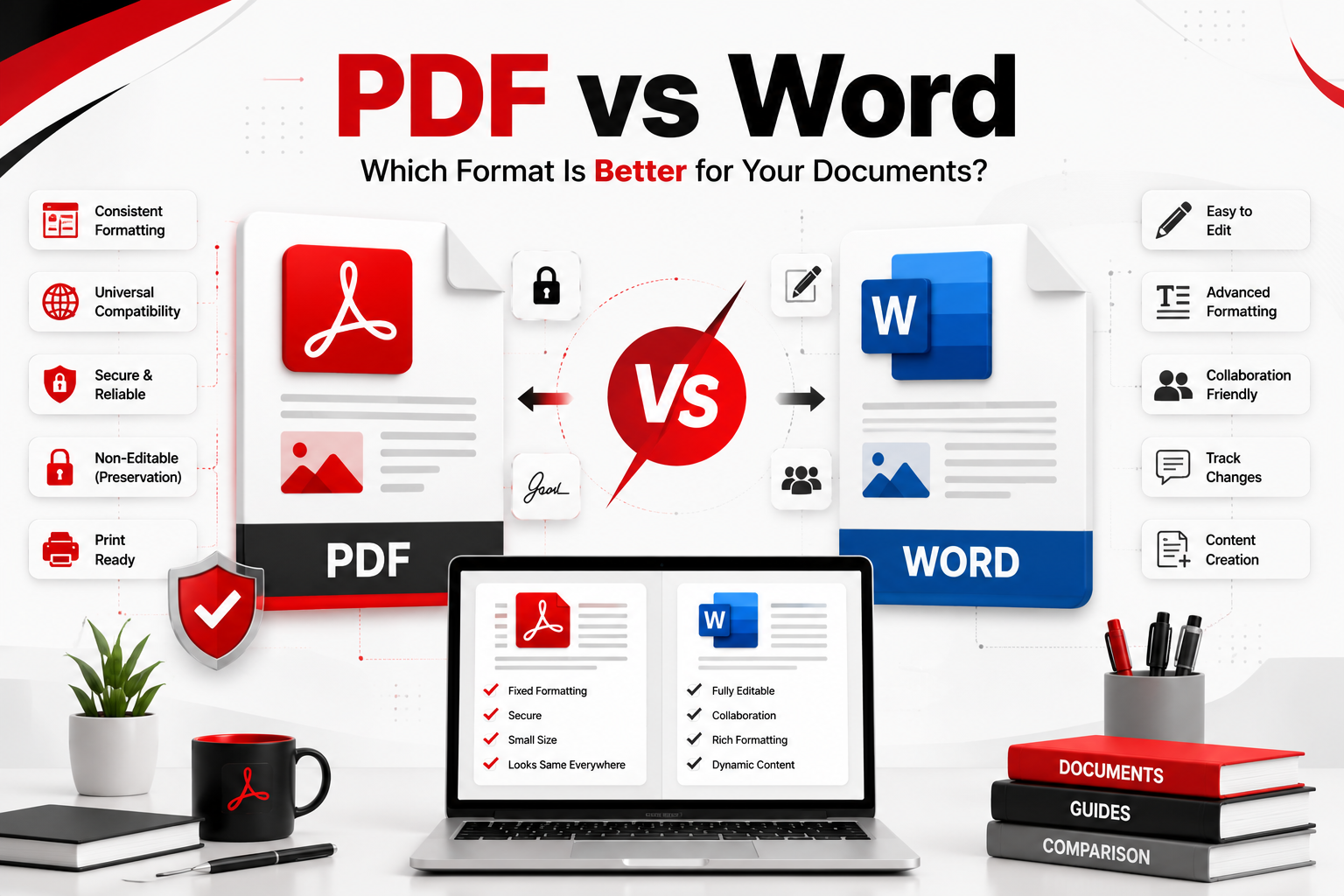
Whether you’re creating a resume, writing a report, sharing a business proposal, or sending an important contract, choosing the right file format matters. Two of the most widely used document formats are PDF (Portable Document Format) and Microsoft Word (DOCX).
Although both formats are used to create and share documents, they serve different purposes. Word documents are designed for editing and collaboration, while PDF files are optimized for preserving formatting and secure document sharing.
So, which one should you use?
In this comprehensive comparison, you’ll learn the differences between PDF and Word, their advantages and disadvantages, and which format is best for different situations.
Quick Answer
PDF is the best choice for sharing, printing, and protecting documents because it preserves formatting across all devices. Microsoft Word is better for creating, editing, and collaborating on documents. If you need a final version of a document, choose PDF. If you need to make changes regularly, choose Word.
PDF vs Word Comparison Table
| Feature | Microsoft Word | |
|---|---|---|
| Editable | Limited | ✅ Yes |
| Preserves Formatting | ✅ Excellent | Good |
| Best for Printing | ✅ Excellent | Good |
| Collaboration | Basic | ✅ Excellent |
| Security | ✅ Strong | Moderate |
| File Size | Smaller (Optimized) | Usually Larger |
| Password Protection | ✅ Yes | Limited |
| Digital Signatures | ✅ Yes | Limited |
| Cross-Platform Compatibility | ✅ Excellent | Good |
| Best For | Sharing & Printing | Creating & Editing |
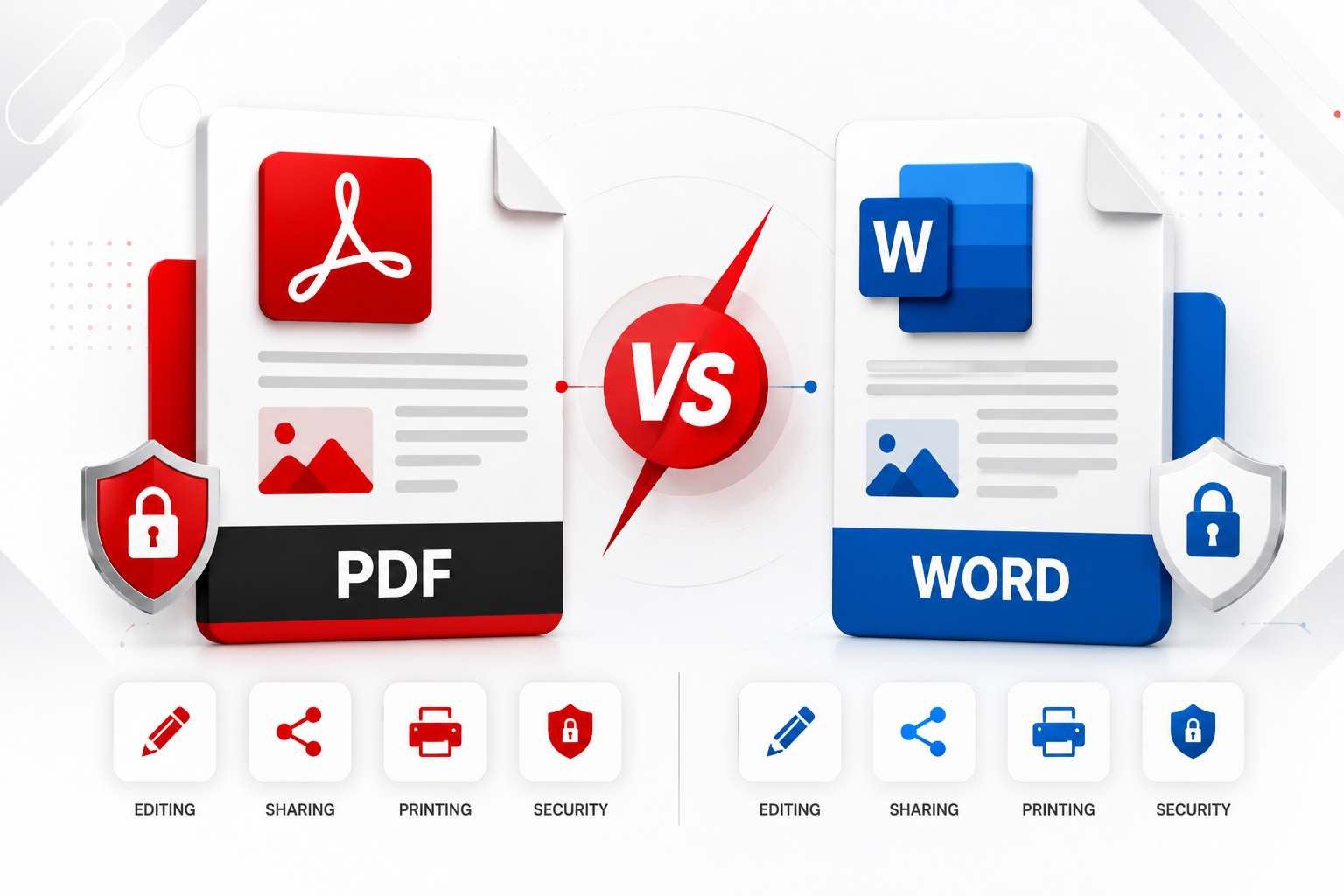
Table of Contents
- PDF vs Word Overview
- What Is a PDF?
- What Is Microsoft Word?
- Key Differences Between PDF and Word
- Advantages of PDF
- Advantages of Word
- Disadvantages of PDF
- Disadvantages of Word
- PDF vs Word Comparison Table
- Which Format Should You Choose?
- FAQs
- Final Verdict
PDF vs Word Overview
PDF and Microsoft Word are two of the most popular document formats used worldwide, but they are designed for different purposes.
A PDF (Portable Document Format) is primarily used for sharing documents while preserving their original formatting. Regardless of the device, operating system, or software used to open the file, the document maintains the same appearance.
A Microsoft Word document (DOC or DOCX), on the other hand, is designed for creating and editing content. It allows users to modify text, images, tables, layouts, and formatting, making it ideal for collaborative work and document drafting.
Understanding these differences can help you choose the right format for your specific needs.
If you’re new to PDF documents, read our complete guide on What Is a PDF File.
What Is a PDF?
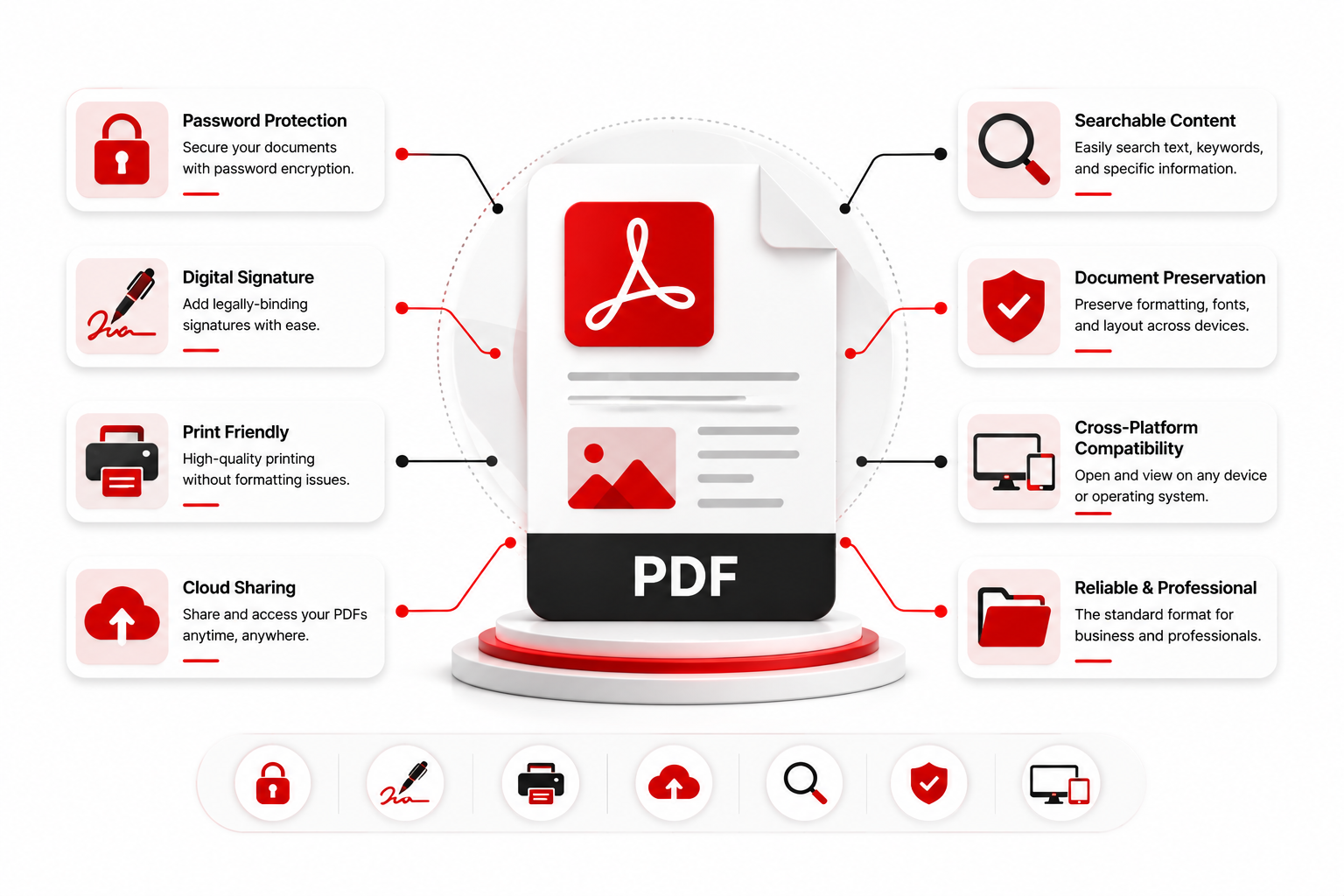
A PDF (Portable Document Format) is a universal file format developed by Adobe to ensure documents appear the same on every device.
Unlike editable documents, PDFs preserve fonts, layouts, images, colors, and spacing, making them ideal for sharing finalized documents.
Common examples of PDF files include:
- Contracts
- Invoices
- Reports
- eBooks
- User Manuals
- Bank Statements
- Certificates
- Business Proposals
- Legal Documents
Businesses, educational institutions, and government organizations widely use PDF because it offers consistent formatting, enhanced security, and professional presentation.
Need to open a PDF instantly? Use the PDF Viewer.
What Is Microsoft Word?
Microsoft Word is one of the world’s most popular word processing applications, developed by Microsoft as part of the Microsoft Office suite.
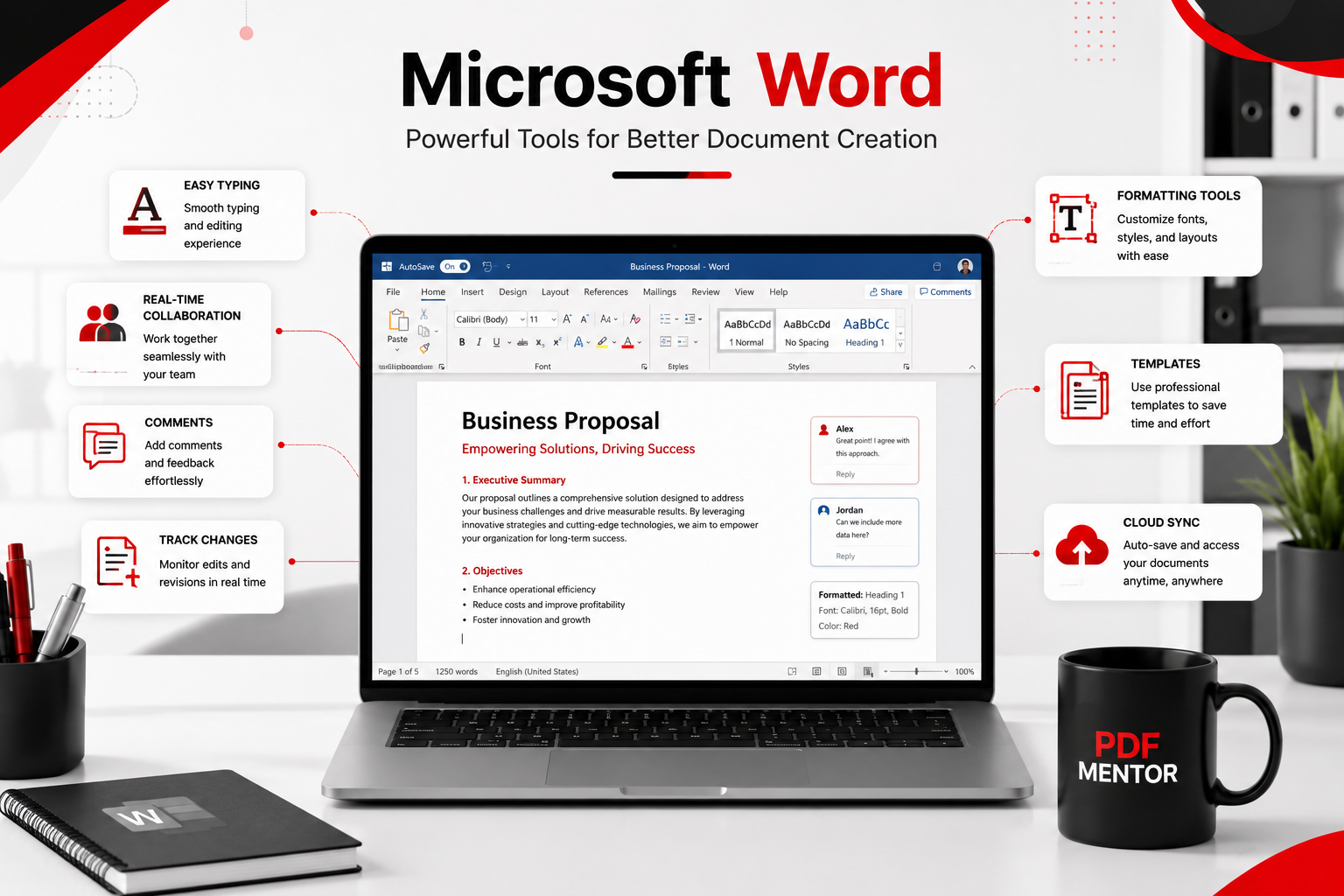
Word documents are designed for creating, editing, and formatting text-based content. They support advanced editing tools, collaboration features, spell checking, templates, comments, and track changes, making them ideal for ongoing document creation.
Common uses include:
- Writing reports
- Drafting letters
- Creating resumes
- School assignments
- Business proposals
- Meeting notes
- Project documentation
Unlike PDFs, Word documents are intended to be edited frequently throughout the document creation process.
Key Differences Between PDF and Word
Although both file formats store documents, their purpose is quite different.
| Feature | Word | |
|---|---|---|
| Primary Purpose | Sharing Documents | Editing Documents |
| Editing | Limited | Excellent |
| Formatting Consistency | Excellent | Can Change |
| Printing | Excellent | Good |
| Password Protection | Yes | Limited |
| Digital Signatures | Yes | Limited |
| Collaboration | Basic | Excellent |
| File Compression | Better | Moderate |
| Cross-Platform Support | Excellent | Good |
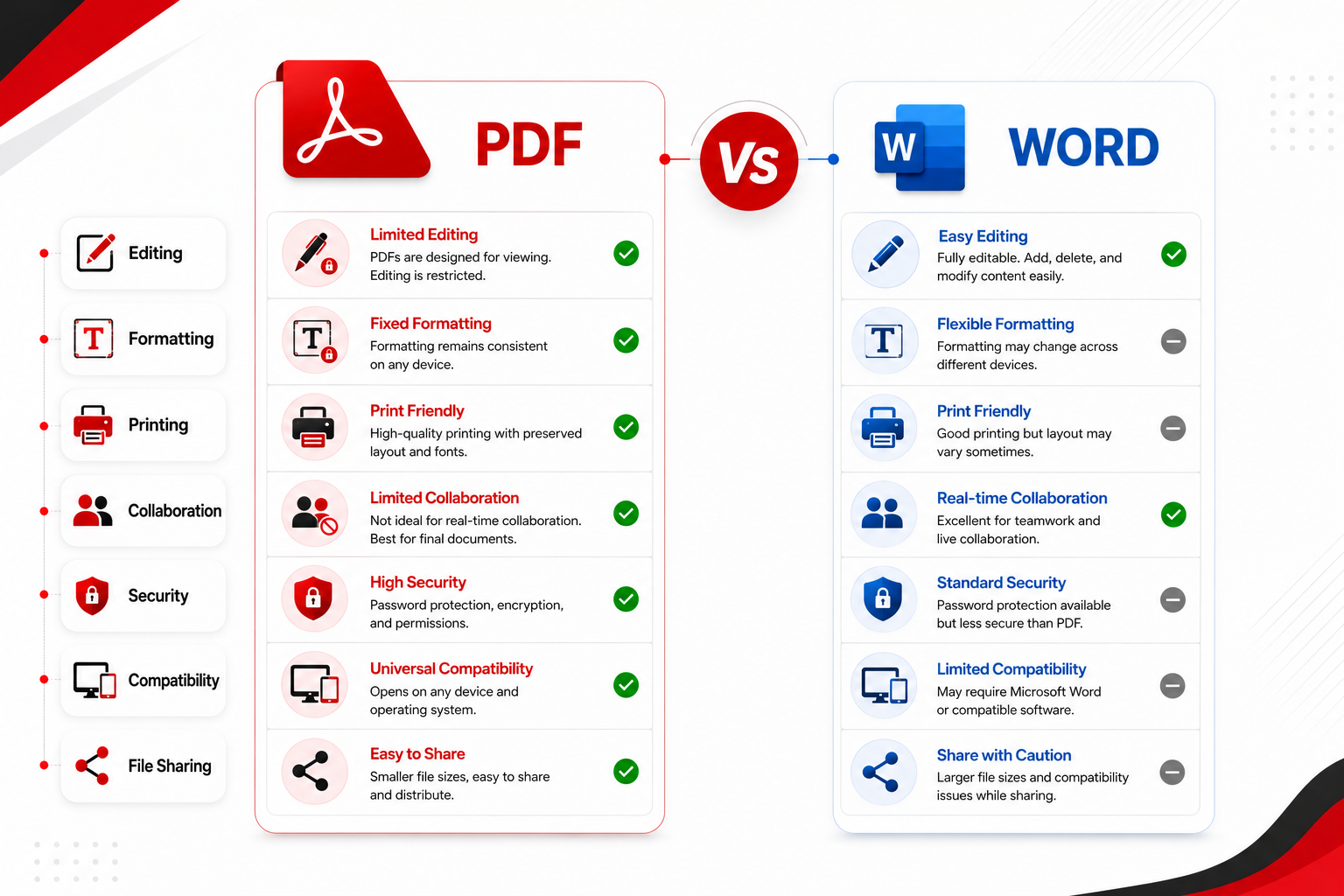
The biggest difference is that PDF is designed to preserve documents, while Word is designed to create and edit them.
If you need to update an existing PDF, you can use the Edit PDF tool to modify text, images, and pages without recreating the document.
Advantages of PDF
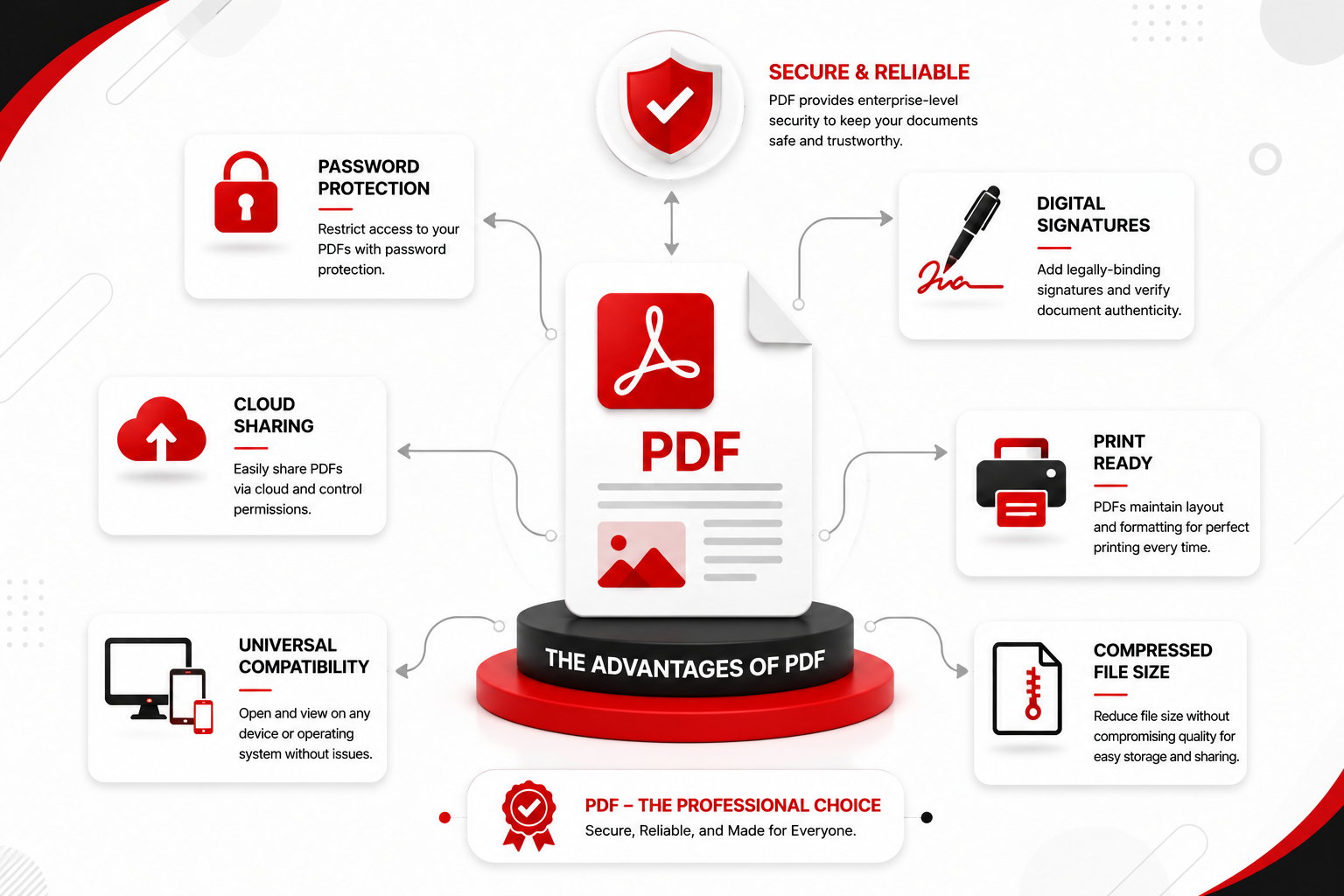
PDF is one of the most trusted document formats because it preserves document quality, improves security, and works consistently across different devices. Below are the biggest advantages of using PDF files.
1. Preserves Formatting Perfectly
One of the biggest strengths of PDF is that it preserves the original layout of a document. Fonts, images, tables, spacing, and page formatting remain exactly the same, no matter which device or operating system is used.
This is why businesses commonly share invoices, contracts, reports, and official documents in PDF format.
2. Better for Sharing Documents
Unlike Word documents, PDF files maintain their appearance after being emailed, uploaded, or downloaded.
Whether someone opens the file on:
- Windows
- macOS
- Android
- iPhone
- Linux
the document looks exactly the same.
You can instantly open and review PDF documents using the PDF Viewer.
3. Strong Security Features
PDF offers multiple security options that help protect confidential information.
These include:
- Password protection
- File encryption
- Permission restrictions
- Digital signatures
- Certificate authentication
If you’re sharing confidential documents, securing them with a password is highly recommended.
Use the Protect PDF tool to lock your documents before sharing.
4. Excellent for Printing
Because PDFs preserve layouts and fonts, they produce consistent printing results.
This makes PDFs the preferred format for:
- Business reports
- Contracts
- Product catalogs
- Brochures
- Certificates
- Legal documents
5. Smaller File Sizes
Optimized PDF files are often smaller than Word documents containing the same images and formatting.
Smaller files are easier to:
- Upload
- Store
- Share online
If your file is too large, reduce its size using the Compress PDF tool.
Advantages of Microsoft Word
Microsoft Word remains one of the best applications for creating and editing documents.
It provides a flexible environment where users can write, modify, and collaborate on content efficiently.
1. Easy to Edit
Word documents allow users to edit:
- Text
- Images
- Tables
- Charts
- Headers
- Footers
- Layouts
without requiring specialized software.
2. Excellent Collaboration
Microsoft Word supports:
- Comments
- Track Changes
- Real-time collaboration
- Cloud synchronization via OneDrive
This makes it ideal for teams working together on the same document.
3. Large Template Library
Word includes hundreds of templates for creating:
- Resumes
- Reports
- Letters
- Newsletters
- Business proposals
- Certificates
saving users significant time.
4. Advanced Formatting Tools
Word provides extensive formatting features, including:
- Styles
- Themes
- Page layouts
- SmartArt
- Charts
- Tables
- References
- Table of Contents
These tools make Word a powerful document creation platform.
Disadvantages of PDF
Although PDF is ideal for sharing finalized documents, it has a few limitations.
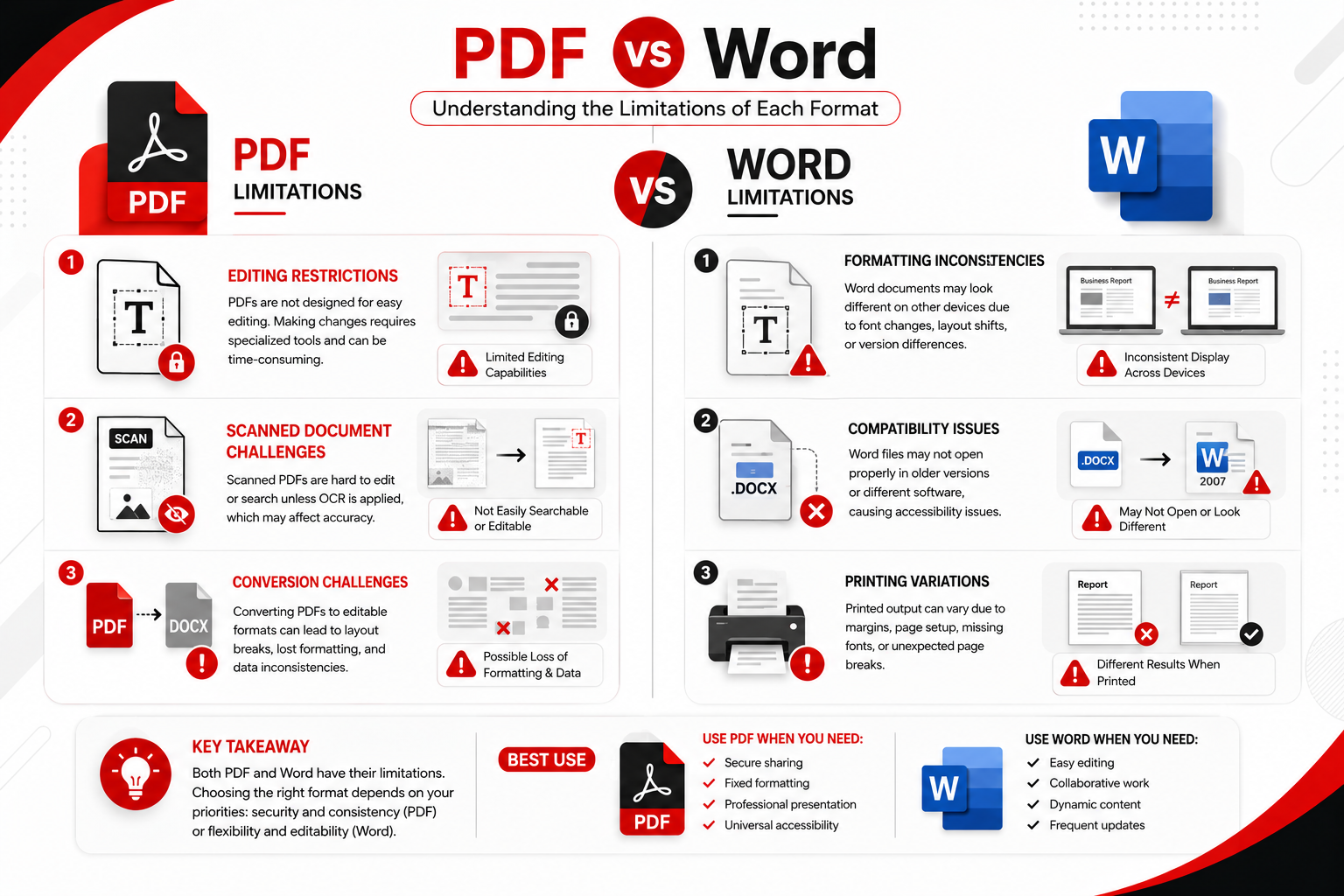
1. Editing Can Be Difficult
PDFs are not primarily designed for editing.
Making changes often requires dedicated PDF editing software.
Need to modify a PDF?
Use the Edit PDF tool.
2. Some PDFs Require Special Software
Interactive forms, multimedia, or advanced PDF features may not work correctly in every PDF viewer.
3. Scanned PDFs Are Not Always Searchable
Without OCR (Optical Character Recognition), scanned PDF files behave like images.
Users cannot:
- Search text
- Copy text
- Highlight content
until OCR is applied.
4. Creating PDFs from Editable Documents
After editing a Word document, users often need to export or save it as a PDF before sharing.
This adds an extra step to the workflow.
Disadvantages of Microsoft Word
While Word is excellent for editing, it also has several drawbacks.
1. Formatting May Change
Different versions of Microsoft Word or missing fonts can alter a document’s appearance.
This can result in:
- Broken layouts
- Font substitutions
- Page shifts
- Misaligned images
2. Less Secure
Word documents generally offer fewer built-in security options than PDFs.
Although password protection is available, PDFs are usually preferred for sensitive documents.
3. Printing Inconsistencies
Documents may print differently depending on:
- Installed fonts
- Printer settings
- Software versions
This is one reason finalized documents are commonly converted to PDF before printing.
4. Larger File Sizes
Documents containing numerous images, charts, or embedded objects can become significantly larger than optimized PDFs.
PDF vs Word: Feature-by-Feature Comparison
| Feature | Word | Winner | |
|---|---|---|---|
| Editing | ⭐⭐ | ⭐⭐⭐⭐⭐ | 🏆 Word |
| Sharing | ⭐⭐⭐⭐⭐ | ⭐⭐⭐ | |
| Printing | ⭐⭐⭐⭐⭐ | ⭐⭐⭐⭐ | |
| Security | ⭐⭐⭐⭐⭐ | ⭐⭐⭐ | |
| Collaboration | ⭐⭐⭐ | ⭐⭐⭐⭐⭐ | 🏆 Word |
| File Compression | ⭐⭐⭐⭐⭐ | ⭐⭐⭐ | |
| Document Preservation | ⭐⭐⭐⭐⭐ | ⭐⭐⭐ | |
| Ease of Creation | ⭐⭐⭐ | ⭐⭐⭐⭐⭐ | 🏆 Word |
Which Format Should You Choose?
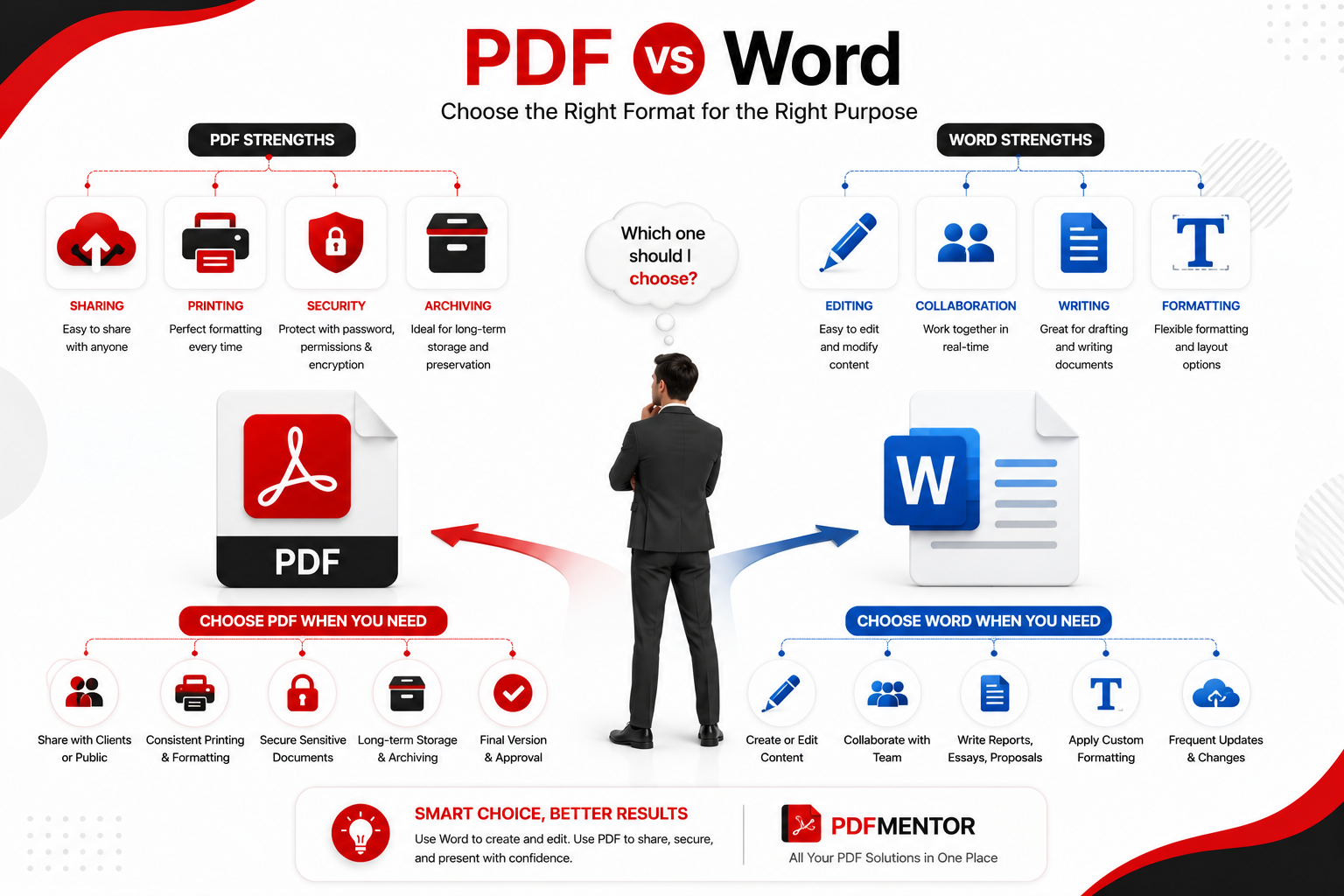
Choosing between PDF and Word depends on your specific needs.
Choose PDF if you want to:
- Share finalized documents
- Preserve formatting
- Print professionally
- Secure confidential files
- Collect digital signatures
- Archive important records
Choose Microsoft Word if you want to:
- Write documents
- Edit content frequently
- Collaborate with others
- Create reports
- Draft proposals
- Prepare assignments
Real-World Examples
Example 1: Resume
Create your resume in Microsoft Word, then save it as a PDF before sending it to employers to ensure the formatting stays intact.
Example 2: Business Contract
Draft the agreement in Word, then convert it to PDF before requesting signatures to protect the final version.
Example 3: School Assignment
Write and revise the assignment in Word, then export it as a PDF before submitting it if the institution requires a fixed layout.
Example 4: Product Catalog
Design the catalog in Word or another design tool, then publish it as a PDF for easy sharing and consistent printing.
Common Mistakes to Avoid
Avoid these common mistakes when deciding between PDF and Word:
- Sending editable Word files when the document should remain unchanged.
- Printing Word documents without checking the layout on different devices.
- Forgetting to password-protect confidential PDF files.
- Sharing large PDF files without compressing them first.
- Editing the only copy of an important document instead of creating a backup.
Best Practices
- Draft and edit documents in Microsoft Word.
- Convert finalized documents to PDF before sharing.
- Compress large PDF files using Compress PDF.
- Secure confidential files with Protect PDF.
- Review PDF documents using PDF Viewer before sending.
Frequently Asked Questions (FAQs)
1. Is PDF better than Word?
It depends on what you need. PDF is better for sharing, printing, and protecting documents because it preserves formatting. Microsoft Word is better for creating, editing, and collaborating on documents.
2. When should I use PDF instead of Word?
Use PDF when your document is finalized and you don’t want the formatting to change. PDF is ideal for contracts, resumes, invoices, reports, manuals, and other documents that need to look the same on every device.
3. When should I use Microsoft Word?
Microsoft Word is the better choice when you’re writing, editing, or collaborating on a document. It provides advanced editing tools, comments, and Track Changes, making it suitable for drafting reports, assignments, proposals, and letters.
4. Which format is better for resumes?
Most employers prefer resumes in PDF format because the layout remains consistent regardless of the device or software used to open the file.
Before sending your resume, you can review it using the PDF Viewer.
5. Is PDF more secure than Word?
Yes. PDF offers stronger document security through password protection, encryption, permission controls, and digital signatures. While Microsoft Word also includes some security features, PDF is generally the preferred format for protecting sensitive documents.
Secure your files using the Protect PDF tool.
6. Can I edit a PDF like a Word document?
Yes, but PDF files usually require dedicated editing software. If you need to update text, images, or pages, use the Edit PDF tool.
7. Which format is better for printing?
PDF is the better option for printing because it preserves fonts, images, spacing, and page layouts exactly as intended. This helps ensure consistent print results across different printers and operating systems.
8. Which format should businesses use?
Most businesses use both formats together. Documents are typically created and edited in Microsoft Word, then converted to PDF before sharing, signing, or printing to preserve formatting and improve security.
Key Takeaways
- Microsoft Word is best for creating, editing, and collaborating on documents.
- PDF is ideal for sharing, printing, archiving, and protecting finalized documents.
- PDF preserves formatting across all devices, while Word offers greater flexibility for editing.
- Businesses often draft documents in Word and convert them to PDF before distribution.
- Choosing the right format depends on your workflow and the purpose of the document.
Final Verdict
There isn’t a single winner in the PDF vs Word debate because each format is designed for a different purpose.
If your priority is editing, collaboration, and content creation, Microsoft Word is the better choice. It offers powerful writing tools, flexible formatting, and real-time collaboration features that make document creation efficient.
However, if you need to share a document without worrying about formatting changes, print professional-quality files, or protect sensitive information, PDF is the superior format. Its consistent appearance, security features, and universal compatibility make it the preferred choice for final documents.
For most users, the best workflow is to create and edit documents in Word, then convert the final version to PDF before sharing or printing. This approach combines the strengths of both formats and ensures a professional result.
Complete PDF Beginner's Guide: Everything You Need to Know
July 24, 2026[…] understand why PDFs are preferred over editable documents, read our PDF vs Word […]